When a commercial Art Director visits your online portfolio, the very first thing they see is the "Hero Banner" (the massive, full-width image dominating the absolute top of a website).
Many digital illustrators struggle immensely with the Hero Banner. Because most individual character illustrations are drawn vertically (a tall standing knight, a tall superhero), they do not fit mathematically into a wide, horizontal web header. If you force a tall vertical image into a wide web header, the builder aggressively chops the character's head and feet off, leaving the Art Director staring at a zoomed-in, pixelated torso.
To solve this geometric nightmare, elite B2B illustrators look away from their finished digital paintings and look directly into their messy, traditional physical sketchbooks. A physical, two-page sketchbook spread is the exact mathematical dimension of a modern HD computer monitor. Here is how to translate your raw, physical sketchbook energy into a flawless digital web header.
1. The Power of the Moleskine 'Spread'
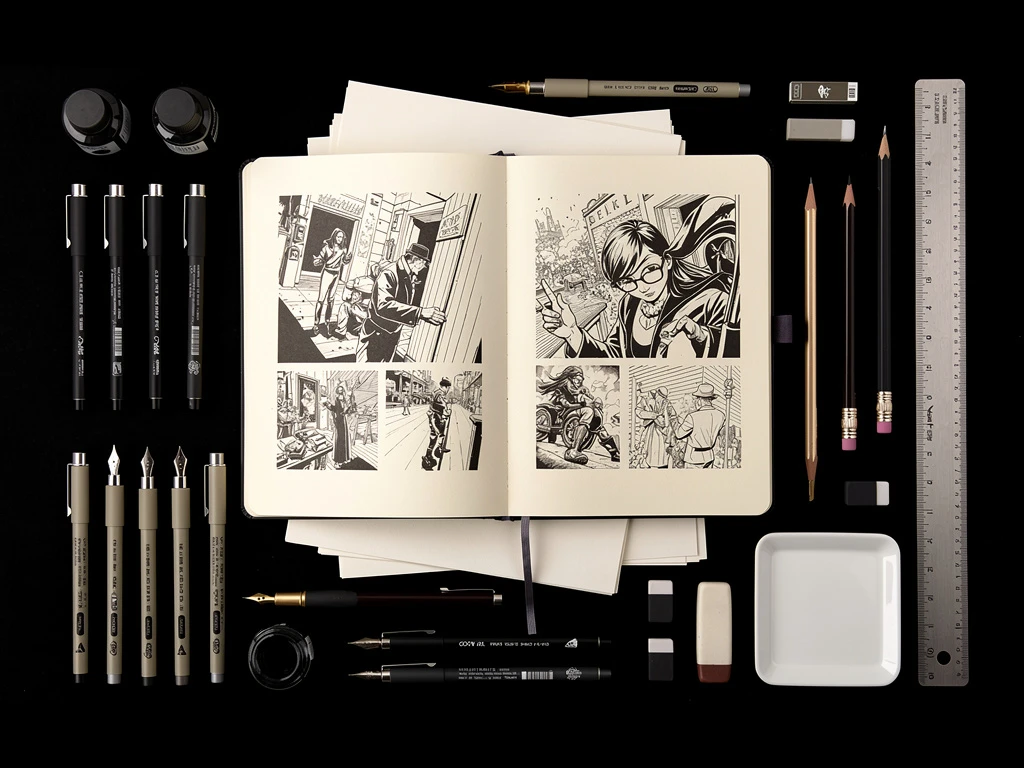
The standard aspect ratio of a modern desktop computer screen is 16:9 (widescreen). If you open a standard physical Moleskine sketchbook and lay it perfectly flat on your desk, the two pages combined create a panoramic, wide horizontal rectangle that almost identically matches that 16:9 4K monitor ratio.
The Process: Do not draw a specific illustration just for your website header. Simply find the most complex, sprawling, two-page landscape or dynamic crowd-scene you have already drawn across a physical sketchbook spread.
By utilizing a raw, messy sketchbook spread as your primary web header, you accomplish two massive B2B goals simultaneously:
- You solve the horizontal mathematical formatting issue perfectly.
- You prove to the Art Director that you are a highly-capable foundational draftsman. Providing a raw, uncolored pencil sketch as your "Hero" image projects immense artistic confidence.
2. The 'Edge Eradication' Digitization Technique
A physical sketchbook looks incredible in your hands, but if you digitize it poorly, it will look like garbage on a 4K retina screen.
If you take a blurry iPhone photo of the sketchbook lying on your desk, the scanner captures the wooden desk, the shadows from your lamp, and the warped curve of the paper near the spine of the book.
Removing the Physical Reality: To make a sketchbook spread function as a corporate UI (User Interface) element, you must digitally isolate it.
- Place the sketchbook perfectly flat on a high-definition flatbed scanner.
- In Photoshop, aggressively adjust the "Levels" or "Curves." You must force the slightly-yellow paper color to become absolute, blinding digital
#FFFFFFwhite. - Force the gray pencil lines to become absolute, high-contrast
#000000black.
When you upload this perfectly isolated, high-contrast scan into your web header, it no longer looks like a photo of a book. It looks like a bespoke, hand-drawn vector UI graphic floating directly on the glass of the computer monitor.
3. Creating Typography Interaction
A web header is not just a painting; it must usually accommodate your massive name or logo layered on top of it.
If you place a massive, dense, heavily-shaded pencil sketch as your web header, and then type your name in black font directly over the top of it, the text becomes completely illegible. The Art Director cannot decipher your name because it is fighting the pencil lines for contrast.
The 'Negative Space' Hack: When you select the sketchbook spread you want to digitize, ensure you pick one that has natural physical empty space. E.g., a sprawling drawing of a forest on the left page, and a drawing of a castle on the right page, but a massive empty sky in the dead center.
Upload the image, and lock your primary typographic web-logo dead in the center of that empty sky. The artwork perfectly frames your name without fighting it for legibility.
Translating tactile artistry into digital infrastructure requires uncompromising formatting control. By operating your illustration career on Portfoliobox, traditional sequential artists effortlessly deploy massive, full-bleed hero banners, dynamic cropping tools, and pristine typography layers designed to elevate raw sketching into elite corporate web design — no coding required.