The independent illustration community is heavily rooted in physical, tactile media. Thousands of talented artists spend their weeks screen-printing limited-edition posters, hand-binding independent comic "zines," and executing massive, intricate pen-and-ink drawings on heavy watercolor paper.
While these physical artifacts are breathtaking to hold in an art gallery, pitching them to a massive digital publishing house or a commercial advertising agency presents a huge logistical barrier. A Creative Director in London cannot touch your hand-bound zine if you live in Los Angeles. You must translate that tactile, physical energy perfectly into an online portfolio.
Unfortunately, most traditional illustrators fail the digitization process. They take a blurry iPhone photo of their printed poster hanging crookedly on their bedroom wall and upload it to a generic web builder. The corporate client instantly dismisses them as a hobbyist. Translating a print portfolio into an illustration website requires rigorous B2B formatting. Here is the operational framework.
1. The 'Context vs Clean' Scanning Rule
When you digitize a physical ink print or a screen-printed poster, you face a critical structural decision: do you show the artwork, or do you show the object?
A professional illustration portfolio must do both, but it must separate them intentionally.
The Clean Scan (The Artwork): Your primary focus must be a mathematically perfect, flatbed scan of the artwork itself.
- Use an HD flatbed scanner (or mathematically aligned studio lighting to prevent glare) to capture the ink graphic perfectly flat.
- Digitally crop the image perfectly to the inked edge. Do not show the white paper margin or the desk underneath. This proves to an Art Director that your graphic works perfectly as a digital asset to be printed on a magazine page.
The Context Shot (The Object):
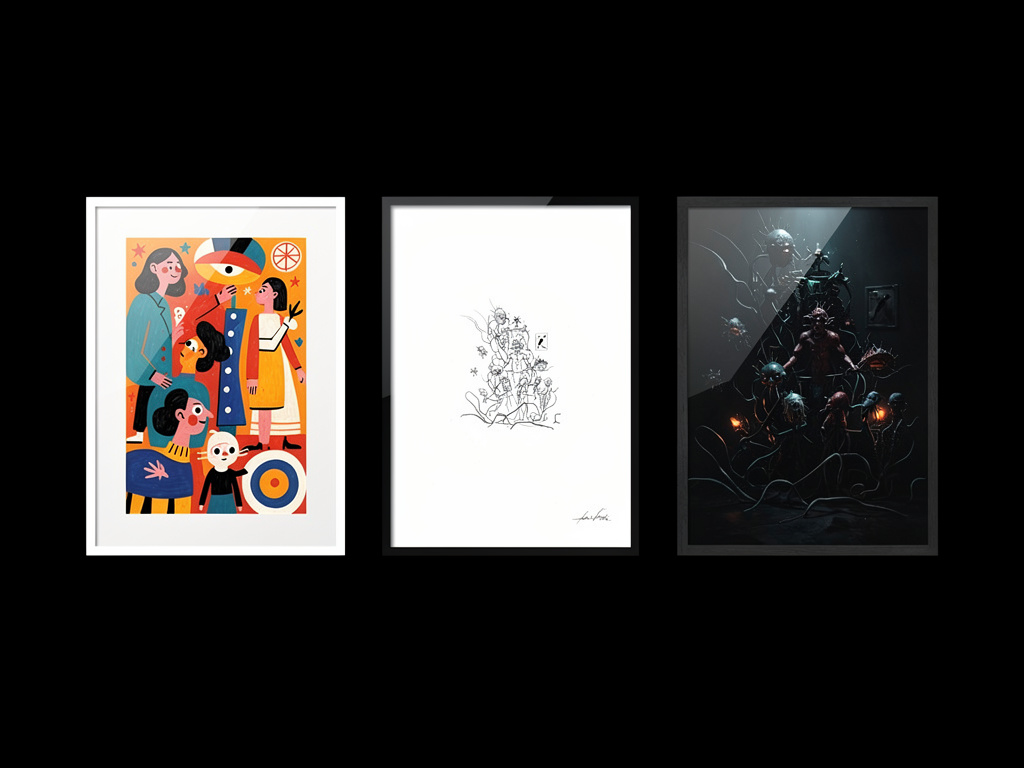
Once you have proven the graphic, you must prove its physical viability. Immediately succeeding the 'Clean Scan', upload a high-resolution "Environmental Context Shot." Photograph the physical poster mounted beautifully in a minimal frame, or photograph your hands actively holding the comic zine. This proves the tactile, real-world scale of your printing abilities.
2. Formatting the 'Zine Layout' Digitally
Independent illustrators love making "Zines" (small, customized multi-page booklets). However, reading a physical book and scrolling down a website are entirely different psychological experiences.
If you upload twenty individual, disparate JPEG pages of your comic zine directly into a massive scrolling web grid, the client will lose the structural narrative entirely. The pacing is destroyed.
The Web Layout Solution: You must replicate the physical reading experience digitally using sequential, lateral grids.
- Do not stack the pages vertically.
- Use a dedicated "2-Column Interactive Block." Place "Page 1" on the left side of the screen and "Page 2" directly next to it on the right side.
- Add strict, wide margins around the images to simulate the physical edge of a book.
By forcing the web layout to mimic "Spreads" rather than "Scrolls," you communicate to the Publishing Director that you actually understand editorial pacing and book architecture.
3. Protecting Your Physical IP Online
The greatest fear a traditional print designer has when moving their art online is Intellectual Property (IP) theft. Unscrupulous companies frequently steal flat digital artwork and print it on cheap t-shirts without paying the artist.
Your illustration website must project corporate security.
- Never upload the original massive, 300-DPI print file to your website. Down-res the file strictly to 72-DPI (perfect for screen viewing, completely useless for illegal commercial printing).
- If you utilize watermarks, do not plaster a massive, ugly red logo directly across the center of your drawing. This ruins the artwork for legitimate Art Directors. Instead, embed a microscopic, highly-professional copyright insignia into the bottom margin of the digital file.
Protecting and presenting physical illustration requires a digital ecosystem built for visual respect. By migrating your print portfolio to Portfoliobox, independent artists secure uncompressed, flat-rendering image grids, password-protected galleries, and the elegant masonry layouts required to translate tactile analog art perfectly onto the digital screen — no coding required.