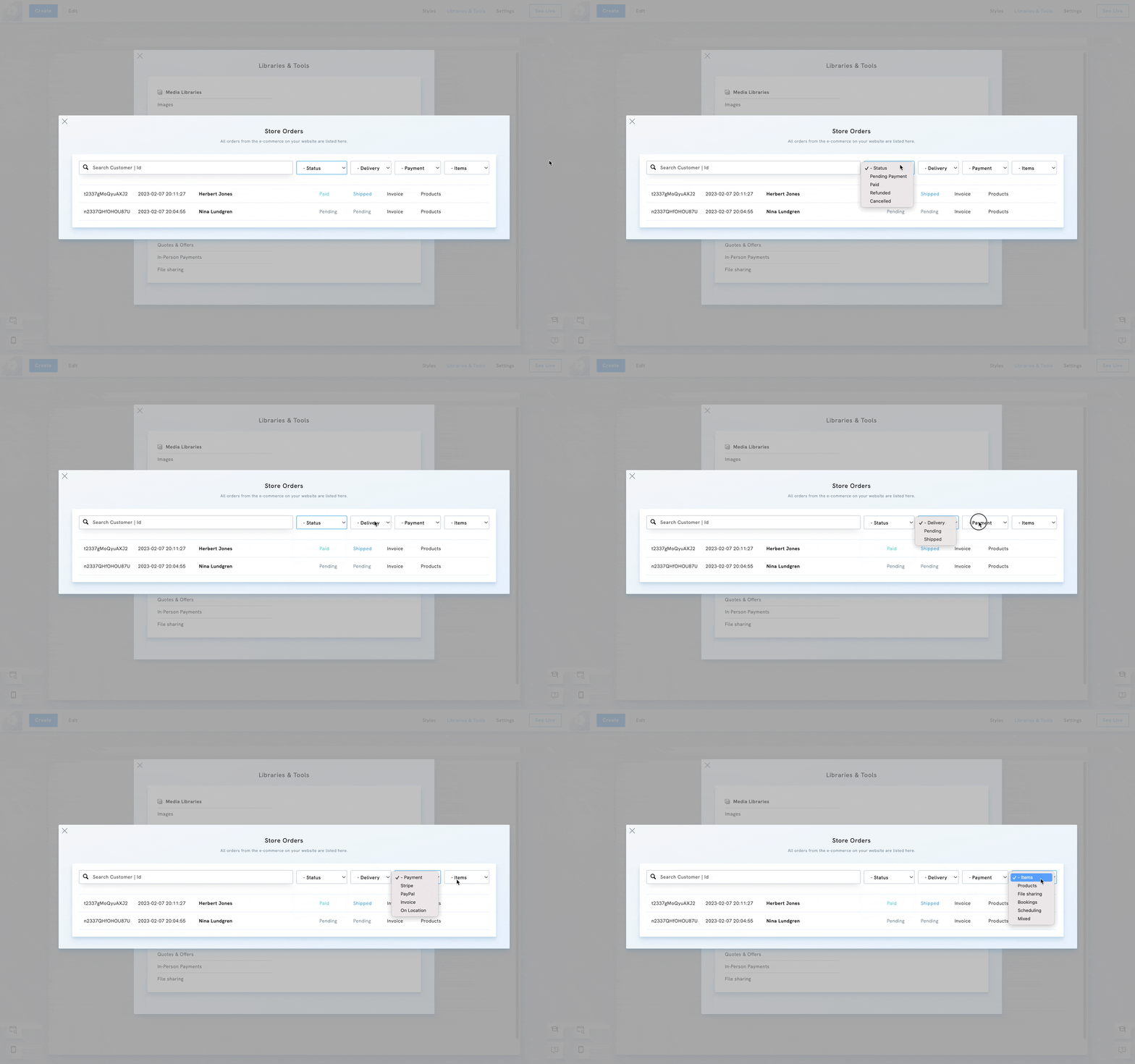
Find your orders
Table of Contents
Managing your orders in Portfoliobox is simple and efficient. Whether you’re selling artwork, prints, or digital services, you can access all your transactions from the E-Commerce Archives in your admin panel.
Order list overview
Once you've accessed the order list, you'll see quick information about the order:
- the order ID
- the date & time of purchase
- the client's name
- the payment status
- the delivery status
- the payment method
- the type of items
Search and filter your orders
You can quickly locate specific orders using the search and filter tools:
- Search by name or order ID
- Filter by payment status, delivery status, payment method, or item type
View or delete an order
- Click View to open the complete order details, including client contact information, purchased items, and payment data.
- Click Delete to permanently remove an order from your records.
⚠️ Note: Once deleted, an order cannot be restored. Be sure to export or record any necessary details before deletion.