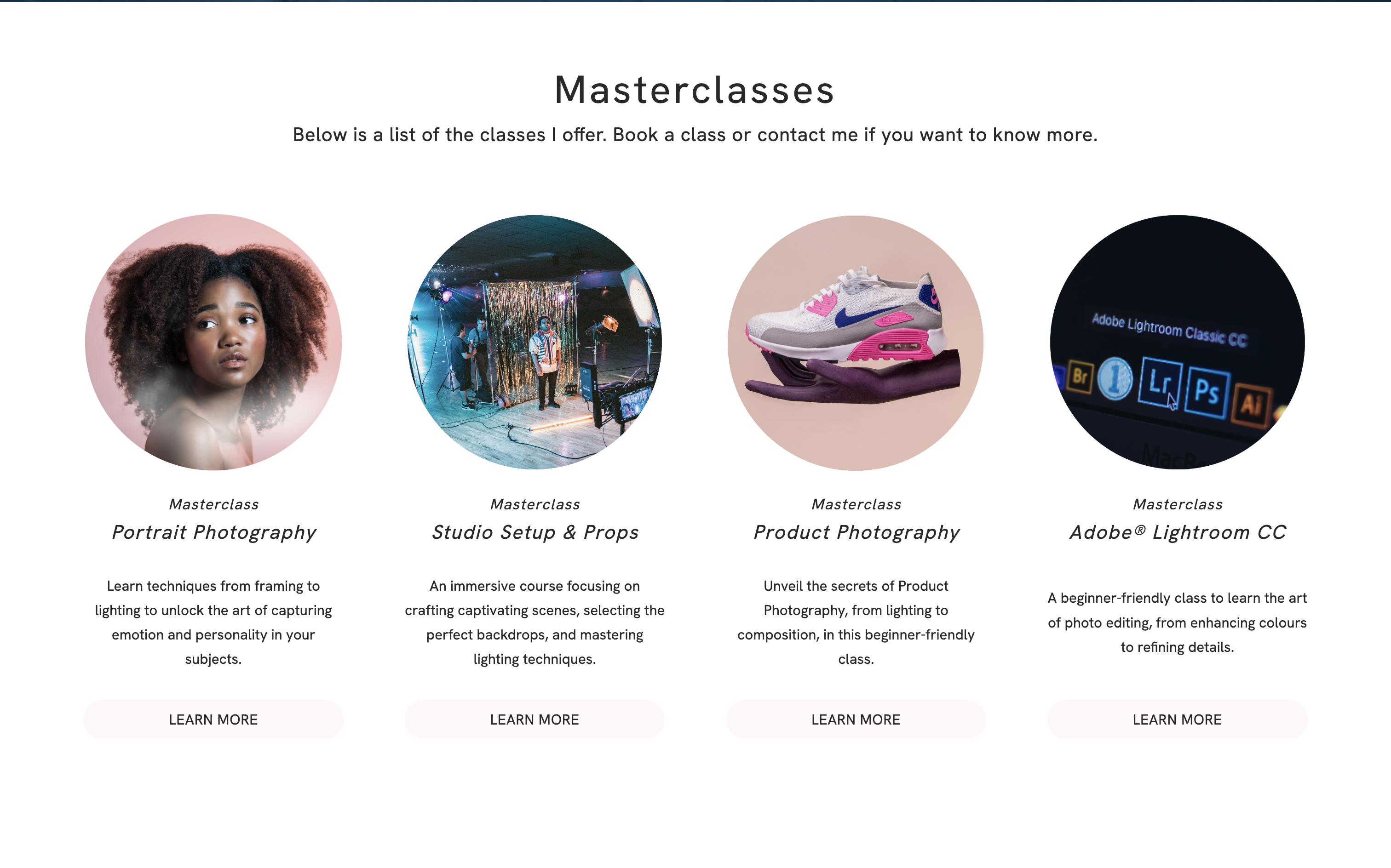
We're excited to introduce our brand-new Booking Feature, adding a new dimension to your offerings. Now, you can easily set up bookings for fixed events such as concerts, exhibitions, classes, and more.
Booking involves reserving a fixed event where the date and time are predetermined. It's a reservation for a specific, unchangeable activity or occurrence.
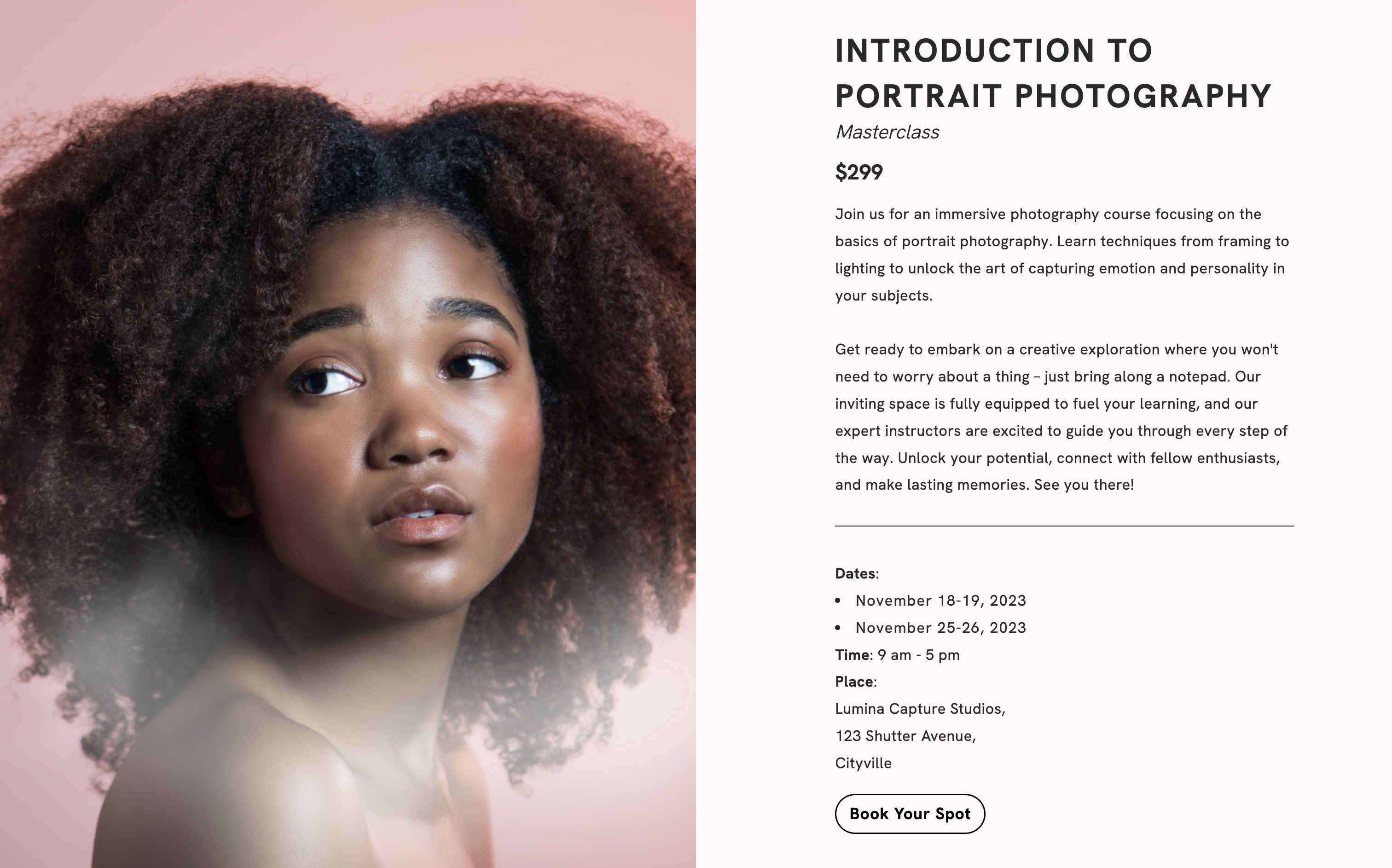
How to use the scheduling feature
Create a booking service on your website to give your customers the book their spot for your event.
Booking examples:
- Art Workshops: Artists can use the booking system to organise art workshops, allowing participants to reserve spots in advance for painting, sculpting, or photography classes.
- Concert Tickets: Music enthusiasts can use the booking system to reserve seats or purchase tickets for their favourite band's concert, ensuring they have a spot at the event.
- Gallery Openings: Art galleries can use the booking system to manage guest lists for gallery openings, exhibitions, or art shows, ensuring a controlled number of attendees.
- Masterclasses: Writers, designers, and other creative professionals can host masterclasses on topics like storytelling or graphic design, with participants booking their slots in advance.
Set up a booking page on your Portfoliobox website
Booking involves reserving a fixed event, such as a concert, an exhibition, or a class, where the date and time are predetermined. It's a reservation for a specific, unchangeable activity or occurrence.
Booking is done in three steps. First, you'll create a booking in your Booking Library with information, price, photo, etc. Use booking alternatives if needed. Finally, add links to the event on your website.
Add the link to your event to your website
There are several ways to add a booking link to your website. You'll have the choice to create a dedicated booking page per event or share multiple events on the same page or section.
Dedicated Booking Page
This is a dedicated web page where customers can view service details, available dates and times, and complete the booking process. You can customise this page with service-specific information, images, and descriptions.
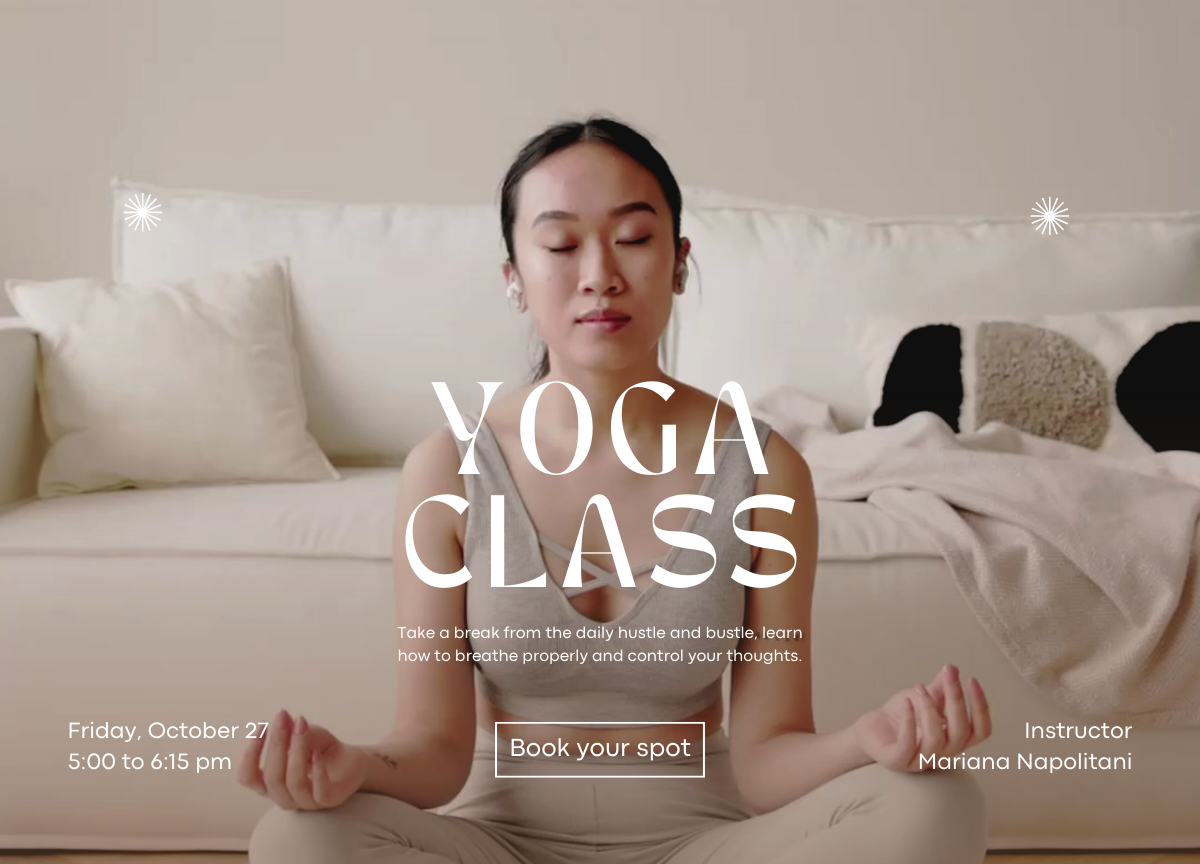
Several Booking on one page
If you want to integrate several booking options seamlessly into a single webpage, you can choose to add a Booking Section. This allows you to embed booking options directly into a page of your choice. You can choose if the button opens a booking form or directs users to a dedicated booking page.