The footer of your website often acts as the final point of engagement for your visitors, offering them further options to explore essential information about your business. An effectively designed footer can enhance usability, improve access to information, and strengthen your SEO. This post will explore key elements to include in your website footer, provide examples of different footer types, and discuss the importance of customising footers on specific pages like landing pages.
Key elements of a website footer
A well-designed footer can serve multiple functions, from guiding visitors to providing legal information. Typical elements include:
- Contact information: Phone numbers, email addresses, and sometimes a small contact form.
- Navigation links: Quick links to important internal pages like FAQs, About Us, or Product Pages.
- Social media icons: Links to social media profiles to enhance engagement.
- Newsletter signup form: Encourage visitors to subscribe to updates.
- Company information: Brief about section or mission statement.
- Privacy policy and terms of use: Legal links that provide transparency about site policies.
Footer design examples
Service website
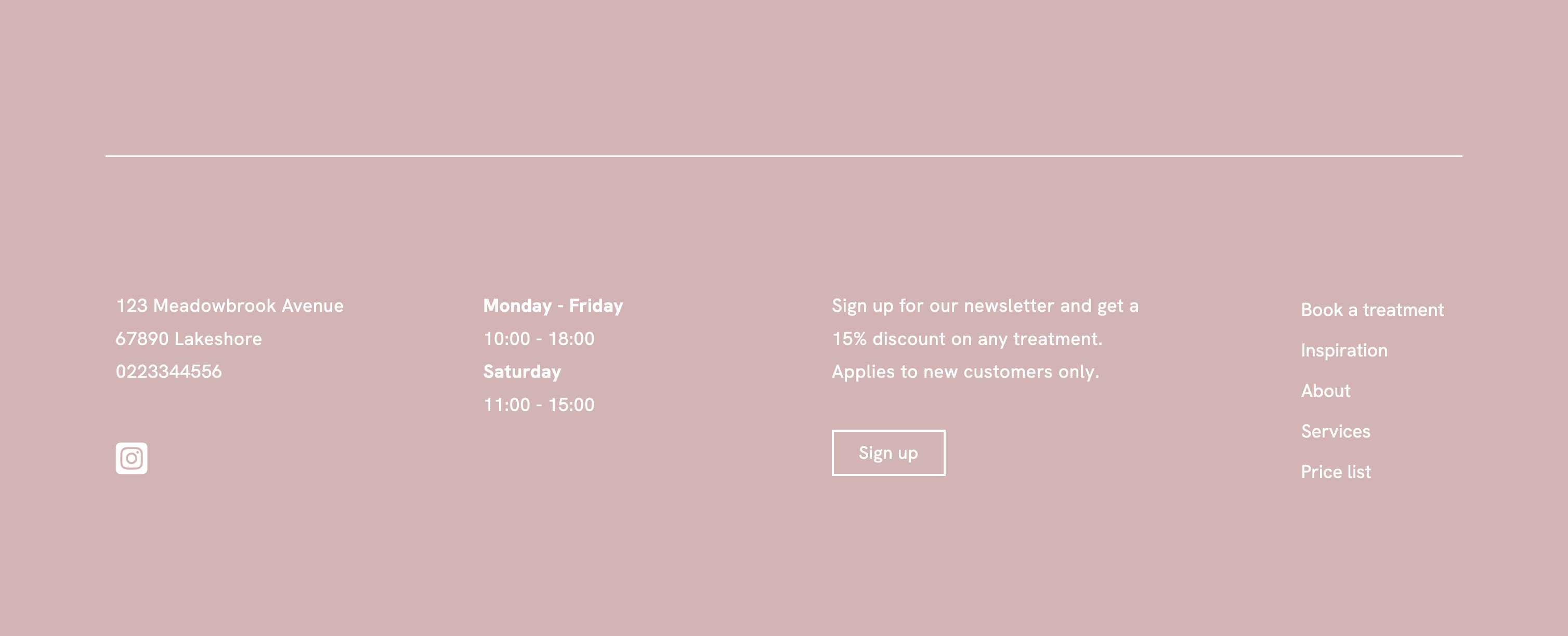
Service-oriented websites should focus their footer on making bookings and providing business information:
- Contact information
- Social profile links
- Opening hours
- A newsletter sign-up field
- Relevant links to online booking, services, prices, and about.
Webshop / E-commerce
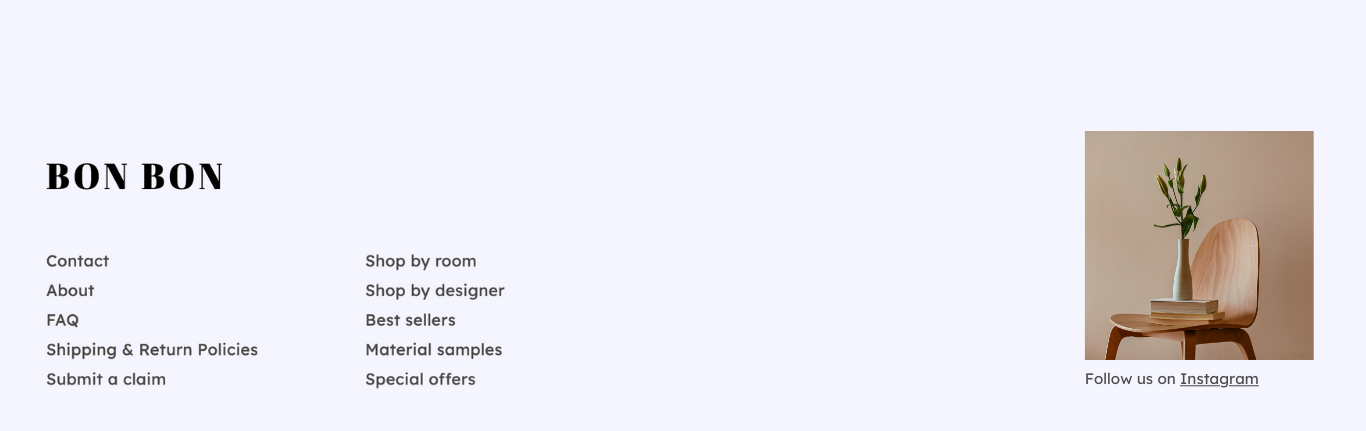
E-commerce sites need to provide easy navigation to essential customer service and shopping information:
- Customer service: Contact, FAQ, Submit a claim
- Product Categories
- Shipping and returns policies
Portfolio site
- Links to About and Contact
- Direct link to the portfolio gallery
- Social profile links
- Links to media coverage, exhibitions or awards

Customizing footers for specific pages
While most pages on your website will benefit from a consistent footer, there are instances where a different footer may be more appropriate. For example, landing pages designed for specific projects or campaigns should have a footer that minimises distractions and focuses on converting visitors. This might mean simplifying the footer to include only the necessary information and a call to action.
- Hide the footer on the page
- Create a section of any type at the bottom of the page. Note: this section should not be included in the footer!
Best practices for footer design
- Consistency: Keep your footer consistent in style and visibility across most pages to meet user expectations.
- Visibility: Despite being at the bottom, the footer should be easily accessible by not overcrowding it with too much information.
- Responsive sesign: Ensure your footer adapts well to different screen sizes, especially for mobile users.
- Clear hierarchy: Organize footer content in a visually hierarchical manner, making it easy for users to find what they need.