You have just finished your final studio review. Your sprawling, multi-panel physical presentation board was a massive success, brilliantly communicating your complex urban intervention project.
Now, you need to use that project to get a job. The immediate instinct is to export the massive InDesign artboards as flattened JPEGs, upload them to a free website builder, and mass-email the link.
This is the fastest way to get rejected by a top-tier architectural firm.
When a Principal Architect reviews your work online, their physical relationship to your data has drastically changed. They are not standing five feet away from a wall, capable of naturally scanning fifty square feet of information. They are hunched over a laptop, experiencing severe eye fatigue, scrolling frantically through fifty other applicant websites. If your presentation board architecture layout is not ruthlessly optimized for the digital screen, your project is completely illegible. Here are the mandatory rules for online adaptation.
Rule 1: Never Upload Baked Text
The most catastrophic error in digital portfolio translation is "baked" text.
When you print a physical board, your 12pt explanatory text sits flawlessly next to your rendering. When you upload that entire 36x48 board as a single flat image to the internet, the browser forces the image to shrink down to fit the 13-inch width of the laptop screen. Consequently, your 12pt text shrinks down to an illegible 2pt microscopic smudge.
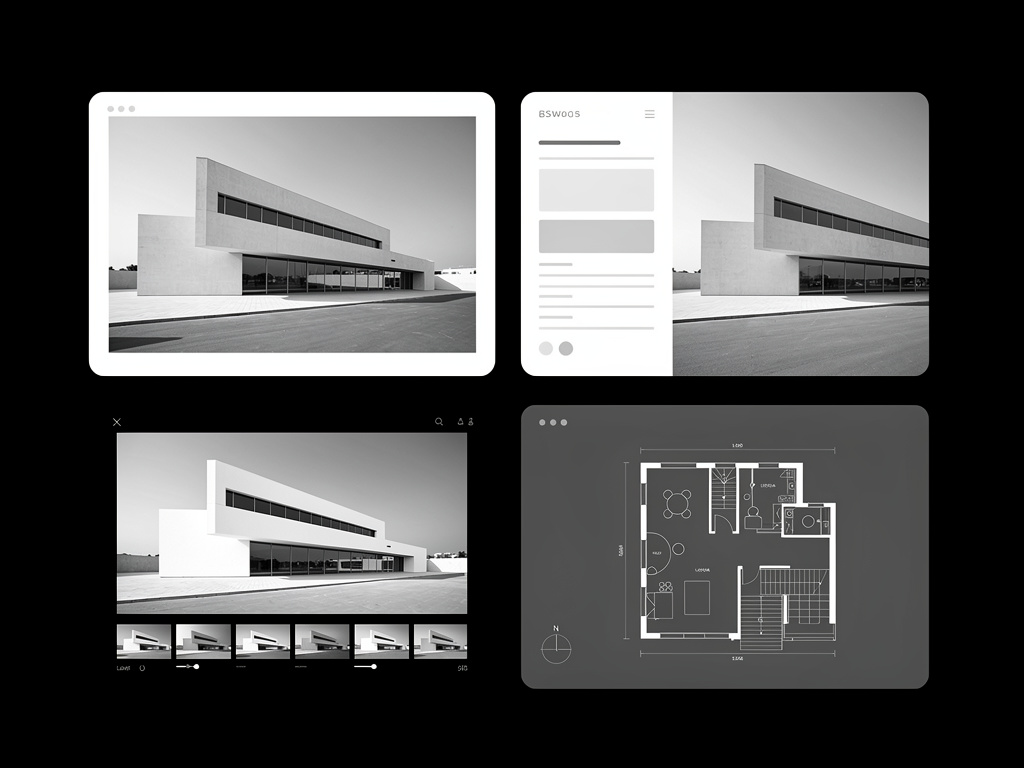
Best Practice: You must decouple your assets. Turn off all the text layers in your InDesign or Illustrator file. Export the naked architectural drawings and renders independently. Then, upload those clean images to your website and type the necessary text directly into the website's native text blocks. The website's CSS code will intelligently scale the font so it remains crisp and readable on every device automatically.
Rule 2: Embrace Sequential 'Pacing'
A physical presentation board relies on high-density information clustering. You cram the site plan, the elevation, and the section tightly together because you only have a finite amount of expensive foam-core board.
The internet, however, has infinite vertical space.
Best Practice: Stop crowding your drawings. When you adapt the board for the web, insert massive amounts of negative 'white space' between your elements. Let the hiring manager digest the massive exterior render completely. Then, provide a quiet, empty margin. Then, introduce the technical floor-plan. This sequential pacing reduces cognitive overload, making your complex structural engineering feel accessible and elegant.
Rule 3: Utilize High-Resolution 'Lightboxing'
Because the screen physically restricts the size of your blueprints, you must provide a mechanism for the reviewer to inspect your meticulous line weights and CAD hatching details.
Best Practice: Never use a platform that traps your images in a tiny, un-clickable grid container. You must utilize a web platform that natively supports high-resolution 'Lightboxing' (also known as Deep Zoom). When a reviewer clicks your intricate master-site plan, the image must instantly expand natively over the entire browser window without pixelating, allowing them to verify your extreme technical competence at mathematically true scale.
Rule 4: Eliminate 'Filler' Diagrams
On a physical board, students sometimes include generic diagrams (like a simple sun-path overlay) just to visually balance out a blank corner of the poster.
Best Practice: The internet demands extreme curation. Since the user must actively scroll to see more information, do not make them scroll past generic filler. Be utterly ruthless. If a diagram does not explicitly explain a massive structural or conceptual decision, delete it from the digital iteration entirely. Only load the absolute strongest, most critical assets.
Transforming your dense studio boards into a hiring asset requires a pristine digital foundation. With Portfoliobox, architects can natively un-bake their layouts, utilizing beautiful integrated text engines and stunning architecture portfolio presentation to showcase their complex structures perfectly online — no coding required.